Amazon never seemed very happy about building a dedicated physical space, kind of the opposite of cloud, to achieve compliance with security requirements of the US federal government.
AWS provides customers with the option to store their data in AWS GovCloud (US) managed solely by US Persons on US soil. AWS GovCloud (US) is Amazon’s isolated cloud region where accounts are only granted to US Persons working for US organizations.
That’s a very matter-of-fact statement, suggesting it was doing what it had been told was necessary as opposed to what it wanted (destroy national security requirements as antiquated while it augers towards a post-national corporate-led system of control).
While that might have seemed speculative before now, Amazon management just released a whitepaper showing its true hand.
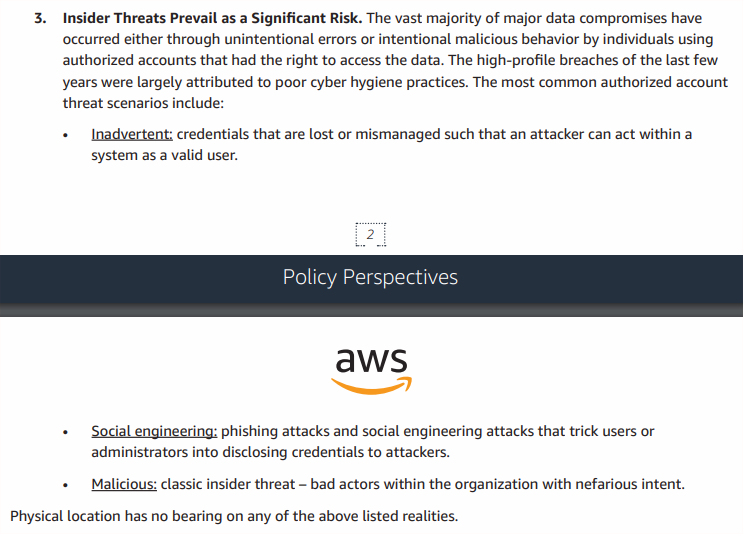
The other two “realities” are “Most Threats are Exploited Remotely” and “Manual Processes Present Risk of Human Error”…
I want you all to sit down, take a deep breath, and think about the logic of someone arguing physical location has no bearing on threats being exploited remotely.
First, vulnerabilities are exploited. Threats exploit those vulnerabilities. Threats aren’t usually the ones being exploited via connectivity to the Internet (as much as we talk about hack back), vulnerabilities are. Minor thing, I know, yet it speaks to the familiarity of the author with the subject.
Second, if physical location truly had no bearing, the author of this paper would have not bothered with any “remotely” modifier. They would say vulnerabilities are being exploited. Full stop. To say exploits are something coming from remote locations is them admitting there is a significance of physical location. Walls being vulnerable to cannon-balls does not mean cannons fired from 1,000 miles away are the same as from 1 mile.
Third, and this is where it truly gets stupid, “Insider Threats Prevail as a Significant Risk” again uses a physical metaphor of “insider”. What does insider mean if not someone inside a space delimited by controls? That validates physical location having bearing on risk, again.
Fourth, this nonsense continues throughout the document. Page six advises, without any sense of irony “systems should be designed to limit the ‘blast radius’ of any intrusion so that one compromised node has minimal impact on any other node in the enterprise”. You read that right, a paper arguing that physical location has no bearing…just told you that blast RADIUS is a critical component to safety from harm.
Come on.
This paper seems like it is full of amateur security mistakes made by someone who has a distinctly political argument to make against government-based controls. In other words, Amazon’s anti-government paper is an extremist free-market missive targeting US-based ITAR and undermining national security, although it probably thought it was trying to knock down laws written in another physical location.
Something tells me the blast radius of this paper was seriously miscalculated before it was dropped. Little surprise, given how weak their grasp of safety control is and how strong their desire to destroy barriers to Amazon’s entry.

