
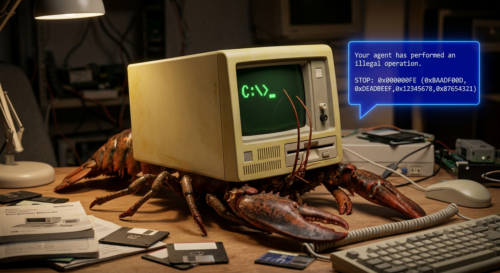
OpenClaw isn’t fooling me. I remember MS-DOS.
The sad days of DOS. Any program could peek and poke the kernel, hook interrupts, write anywhere on disk. There was no safety.
The fix wasn’t a wrapper, or a different shell. It was a whole different approach to what was being done. The world already had rings, virtual memory, ACLs, separate address spaces. Thirty years of separations that Unix had from the start were ignored, and it finally caught up to the world of DOS.
I’m not saying DOS wasn’t wildly popular. Oh my god. I remember one dark night in a bar in Chicago, a drunk Swedish IT consultant jumped onto a table and said “listen up everyone!”. As he waved his beer mug around, sloshing carelessly, with wobbly legs, he said he was in town to work on Wal-Mart Point-of-sale (POS) devices running MS-DOS. Why was he acting like this? He was happy, very, very happy. He wanted us to know he loved his work, something like “CAN YOU BELIEVE WAL-MART HAS HUNDREDS OF THOUSANDS OF DOS MACHINES WITH ALL YOUR F$%#$%NG PAYMENT CARD DATA?! HAHAHA! AND IT ALL HAS ONE PASSWORD THAT EVERYONE SHARES! YOU WANT IT?! I GOT IT RIGHT HERE! FREEDOM, AMERICA, F$#%$K YEAH!”
True story. Both the guy and Wal-Mart put ALL customer information on MSDOS with exactly zero safety.
NCR had just announced a new MS-DOS-based PC…we decided to build a custom solution for Wal-Mart. I managed to connect a cash drawer and a POS printer to the new PC and wrote a dedicated Layaway application in compiled MS Basic. For the first time, Wal-Mart could store customer info on a disk. A clerk could search by name in seconds, and more importantly, the system tracked exactly where the merchandise was tucked away in the backroom. It was a massive efficiency win, and NCR ultimately rolled it out to all Wal-Mart stores.
Personal identity information was never breached faster! Massive efficiency win, indeed. When Wal-Mart was breached in 2006 they naturally had to wait three long years to notify anyone. So efficient.
Agent gateways feel like we are racing backwards into the MS-DOS era. At any minute in a bar I expect a drunk Swedish IT consultant to be standing on a table waving his lobster around, swearing about his single token for all agents. Because, let’s face it, when you look at gateways out there they can hand the model an exec tool and trust it. One process, one token, with the LLM holding the line.
NVIDIA clearly has seen the storm brewing and therefore published a thoughtful tutorial walking through a “NemoClaw” self-hosted agent setup on DGX Spark.
Use NVIDIA DGX Spark to deploy OpenClaw and NemoClaw end-to-end, from model serving to Telegram connectivity, with full control over your runtime environment.
I appreciate this effort. Real engineering, carefully done. I took the tutorial to learn and I followed it in Wirken, a gateway I’ve been building, to document what each step looked like.
The tutorial has you bind Ollama to 0.0.0.0 so the sandboxed agent can reach it across a network namespace. Then it pairs the Telegram bot by sending a code through the chat channel. It next approves blocked outbound connections in a separate host-side TUI. Each of those seem to be steps to address a real problem, which is how to put security around something that doesn’t work when it has security around it. It’s what an architecture requires when the sandbox sits around the whole agent.
Call me old-fashioned but I anticipated a lot of this in Wirken by giving the agent more safety by shrinking the boundaries. Each channel is a separate process with its own Ed25519 identity. The vault runs out of process. Inference stays on loopback because the agent is on the host. Shell exec runs in a hardened container configured at the tool layer, rather than trying to wrap around the whole agent. Sixteen high-risk command prefixes prompt on every call; others are first-use with a 30-day memory.
Here’s what I found, step by step
| Step | NemoClaw | Wirken.AI |
|---|---|---|
| 1. Runtime | Register the NVIDIA container runtime with Docker, set cgroup namespace mode to host. Foundational setup because the agent runs inside a container. | No equivalent step. The gateway runs as a host process. Docker appears only as a per-tool-call sandbox for shell exec, provisioned lazily. |
| 2. Ollama | Override OLLAMA_HOST to 0.0.0.0 so the sandboxed agent can reach inference across its own network namespace. | Ollama stays on 127.0.0.1. The agent is a host process, so loopback is enough. |
| 3. Install | curl-pipe-bash from an NVIDIA URL. | curl-pipe-sh as well. The installer verifies the release signature with ssh-keygen against an embedded key, fail-closed on every failure path. The installer’s own SHA is pinned in the README for readers who want to check the script before piping. |
| 4. Model | ollama pull the model, then ollama run to preload weights into GPU memory. | Same pattern. Both delegate inference to Ollama. |
| 5. Onboarding | Wizard produces a sandbox image with policy and inference baked in, as a named rebuildable unit. | Wizard writes provider config and channel registrations. The permission model lives in the binary; runtime state is which action keys have been approved. |
| 6. Telegram | Pairing code sent through the chat channel; user approves from inside the sandbox. Binds a platform user to the agent at first contact. | Bot token into an encrypted vault, fresh Ed25519 keypair for the adapter, no in-chat pairing. Approval granularity is per action and per agent rather than per channel user. |
| 7. Web UI | Localhost URL with a capability token in the fragment, not shown again. | Localhost URL, loopback-bound, no token required. |
| 8. Remote access | Host-side port forward started through OpenShell, then SSH tunnel. The extra hop is because the UI lives inside a netns. | SSH tunnel only. The WebChat listener is already on host loopback. |
| 9. Policy | Enforces at the netns boundary. Outbound connections are surfaced in a TUI with host, port, and initiating binary. Approve for the session or persist. | Enforces at the tool dispatch layer. Sixteen high-risk command prefixes always prompt; others are first-use, remembered 30 days. Approved commands run inside a hardened Docker container with cap_drop ALL, no-new-privileges, read-only rootfs, 64MB tmpfs at /tmp, and no network. |
Looking at my audit logs
The architectural claims above are recorded in the logs of the tutorial work. Wirken uses a hash-chained audit database of the webchat session, so here’s what that looked like in version 0.7.5.
First, the Tier 3 denial on curl:
[ 4] assistant_tool_calls
     call: exec({"command":"curl https://httpbin.org/get"})
[ 5] permission_denied
     action_key='shell:curl'  tier=tier3
[ 6] tool_result
     tool=exec success=False
     output: Permission denied: 'exec' requires tier3 approval.
[10] attestation
     chain_head_seq=9
     chain_head_hash=ff57c574ab503a74fa942ddb164def0df5bfbff05e5d5d6ecadcf127bce7e021
The tool call never reached the sandbox. The denial is recorded as a typed event in the audit chain, covered by the per-turn attestation.
Second, the hardened sandbox on sh. With shell:sh pre-approved at Tier 2, the same agent runs a compound command that probes three locations:
[14] assistant_tool_calls
     call: exec({"command":"sh -c \"touch /cannot_write_here 2>&1; ...\""})
[15] tool_result
     tool=exec success=True
     output:
       touch: cannot touch '/cannot_write_here': Read-only file system
       ws_ok=1
       tmp_ok=1
[19] attestation
     chain_head_seq=18
     chain_head_hash=6bf35f22df02b496244091e54b4dbf9b3ffdcf6a03485413f0522b84e2eb08a8
Read-only file system is the kernel refusing to open a new file against a read-only mount. Not a DAC check, the rootfs itself. ws_ok=1 confirms the workspace bind-mount stayed writable. tmp_ok=1 confirms the tmpfs at /tmp did too.
Both receipts are consecutive rows from the same session, hash-chained through to the attestation signatures at seq 9 and seq 18. wirken sessions verify replays the chain and confirms every leaf hash matches its payload and every chain hash matches SHA-256(prev_hash || leaf_hash).
How big is your boundary?
The workarounds in the tutorial are trying to make the best of a foundation that doesn’t separate concerns the way engineers typically like. Bind to 0.0.0.0 because the sandbox can’t reach loopback. Pair through the chat channel because there’s no separate identity plane. Wrap the whole agent in a container because the agent itself isn’t yet trusted. Approve at the netns boundary because the tool layer has no concept of permission.
Each of those is a compromise; response to a constraint. The constraint is worth revisiting like it’s 1985 again and we can stop Bill Gates.
In 1973 Unix got process separation, user separation, file permissions, and pipes between small programs. By 1995 I was all-in on Linux, building kernels by hand and starting this blog named flyingpenguin, because it had inherited them and made them the default.
In 2020 Microsoft finally admitted Linux was their better future, which everyone knows today.
Back in 2001, former Microsoft CEO Steve Ballmer famously called Linux “a cancer” … During a [2020] MIT event, [Microsoft president Brad] Smith said: “Microsoft was on the wrong side of history”
The agent space is still early and some people never learn the past. Wirken is one take on what it looks like when you remember. Like, remember the sheer horror of trying to protect anything in DOS? Remember the Wal-Mart breach of 2006, reported in 2009?
It’s just a question of whether we apply what computer history already knows to how we make agents safe for daily use. There are dozens of others doing versions of their own Wirken, and I’d genuinely like to hear from people working on the same problem; the architectures can converge in more than one way.
Repo: wirken.ai
That wild Swedish consultant’s DOS-fueled celebration makes me wonder if suno-ai.one could craft a chaotic theme song for that unforgettable bar scene.
Linux dont exist in 1995
@AO you gave me a good LOL.
I’m guessing you didn’t exist in 1995.
To build the first robotic telescope in the world I was hired to engineer systems on the slackware 0.9 kernel off a walnut creek CDROM so I’m the living proof it existed.
Hi,
For what it is worth, you can further harden and isolate your openclaw for a free using Minimus.io
echo “FROM us-docker.pkg.dev/prod-375107/minimus-public/openclaw:latest” > Dockerfile
Dockerhub Vulnerabilities : 1,156
Self Built Vulnerabilities : 800
Minimus: 7
https://www.minimus.io/post/stop-running-openclaw-with-2-000-vulnerabilities-why-minimus-openclaw-image-has-99-fewer-cves
@Ben Thanks for the note.
Minimus looks good as a CVE reduction measure. Platform teams running hardened containers prefer distroless bases. Don’t even get me started on the audit I did that found a Fedora base.
CVE counts are important. Yet, what CVE count does not measure is the actual primary agentic threat model. OpenClaw hardened is still OpenClaw at the trust-boundary level: one agent process, one credential store, every channel sharing both.
That’s bad.
The number of patched libraries in the layer below does not change the catastrophic breach by successful prompt injection through a messaging channel.
Container hygiene is like brushing your teeth and then saying, don’t worry what you eat. Agent trust boundaries are different problems. Minimus is a good toothbrush. So sparkly and clean. The real danger lives beyond the healthy teeth, in what the agent swallows.